Find your equipment. Manage field operations in one place.
Select your industry and the challenge you want to solve. Navbea shows your tailored solution on the map, explaining the required data and initial steps.

Find your facility solution in 3 steps
Let's start with the right solution for your facility.
No registration required to see your recommendation.
Find what you are looking for
Search equipment by name. View its last reported location and data timestamp together; relay field information to the relevant team.

Understand dwell and delays
Examine zone entries and exits together. Identify which area experiences bottlenecks and pinpoint the spot to investigate.

Mobilize your team
Bring the relevant zone, incident, and task into a single unified view. Enable authorized personnel to operate with the same field context.

What opportunities does your facility reveal?
Map Studio analyzes facility type, zones, and data flow together. Select an area on the map to see the recommendation rationale, required data, and expected impact.

Shipping Dwell Analysis
Optimize operations by identifying dwell bottlenecks in loading areas.
Custom apps for your workflow. Without code.
Create custom web and mobile apps for your organization with Builder. Connect compatible BLE/UWB infrastructure to mobile experience for indoor wayfinding, inspections, and offline attendance.
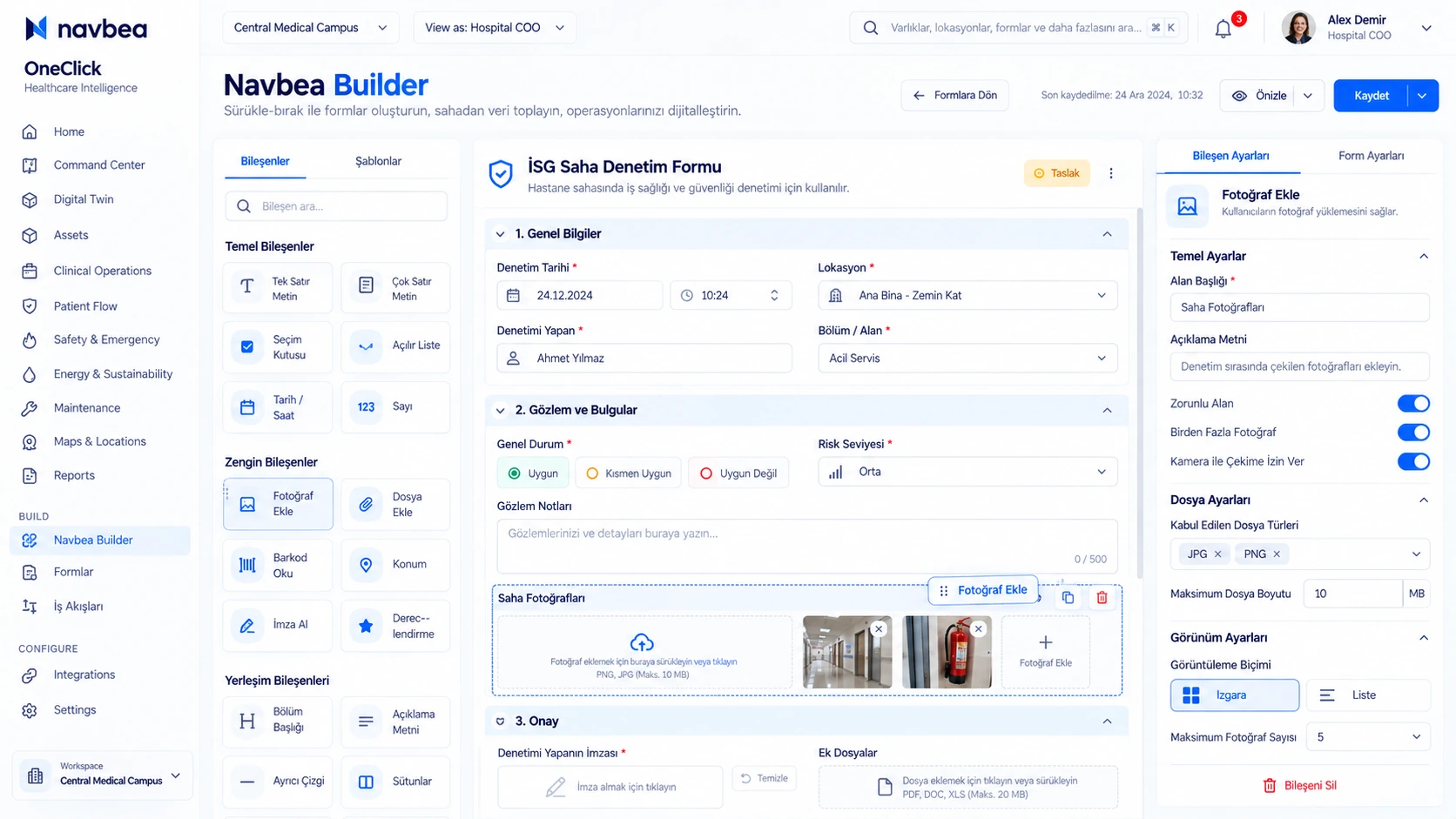
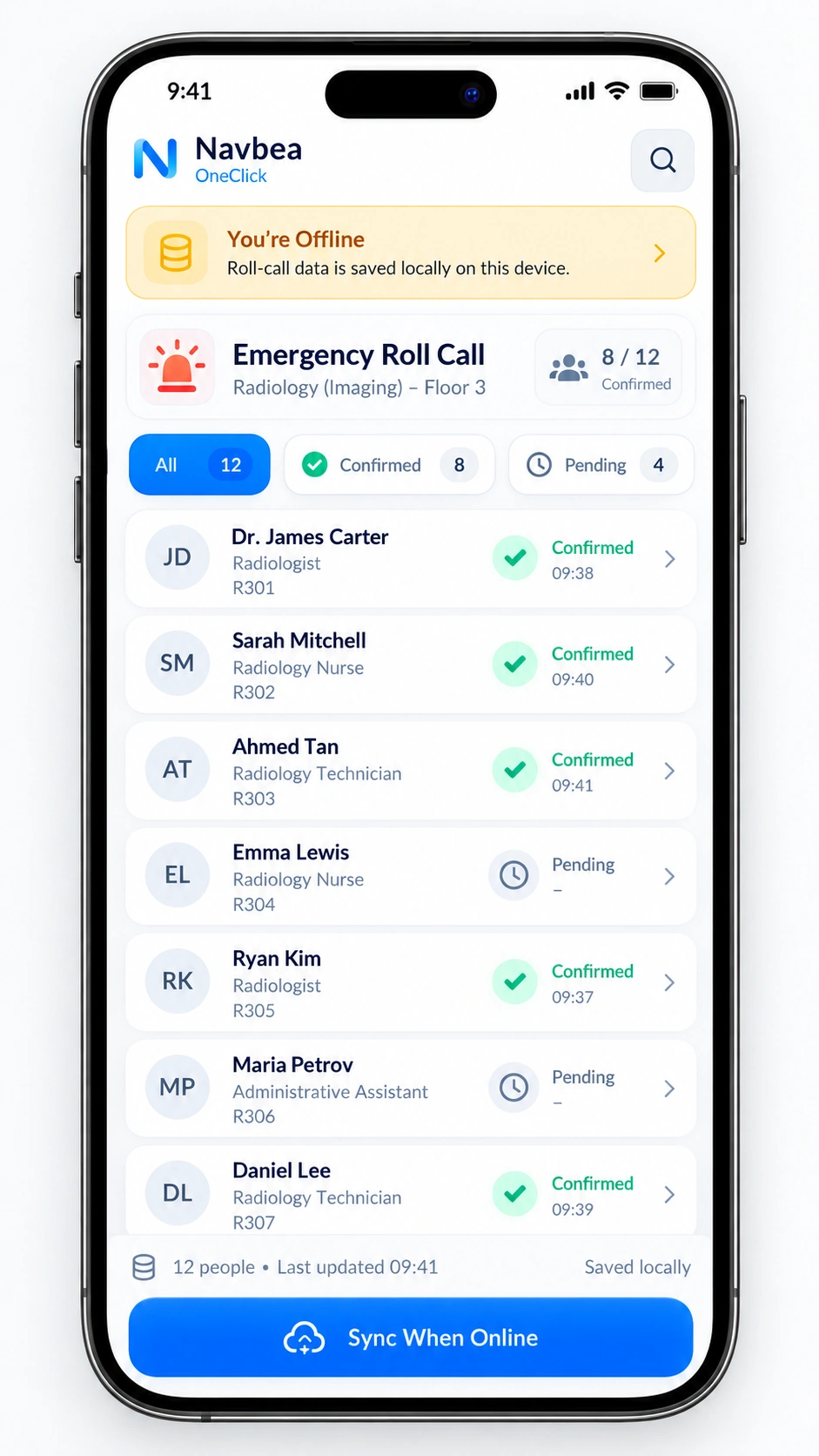
Real-world enterprise projects running thousands of sensors and hundreds of gateways
Examine live field scale. Define your own scope with our team.


Shared project scopes are architecture references, not individual performance results.
Choose an area. See your pilot scope.
Let's create an actionable pilot plan tailored to your facility's needs.
Determine the priority bottleneck you want to solve.
Evaluate target zones and verified data sources.
Clarify pilot scope and measurement criteria.
Software, hardware, and service items are itemized transparently.
Most common questions before making a decision
Clear answers on rollout time, existing infrastructure compatibility, and pricing model.
Help Center and all FAQs →Do we have to deploy across the entire facility at once?
No. Most deployments begin with pilot validation in 1–2 critical areas and expand gradually.
How is pricing and budget scope determined?
Pricing is presented transparently across 5 distinct line items: software, devices, setup, integration, and support.